On Sunday 21 December 2025
I had some issues running the Haskell Language Server from my text editors (VS Code and Neovim).
This was my attempt at learning Neovim by the way, but it had nothing to do with the HLS problem I stumbled upon. I tried to put a single file config together by copying and pasting whatever looked pain-free.
~/.config/nvim/init.lua if you want to look at it. Skip if you just want to fix HLS.-- mkdir -p $HOME/.config/nvim/
-- edit $HOME/.config/nvim/init.lua
-- This config file works out of the box,
-- just install the neovim binary.
-- Bootstrap lazy.nvim (plugin manager)
local lazypath = vim.fn.stdpath("data") .. "/lazy/lazy.nvim"
if not vim.loop.fs_stat(lazypath) then
vim.fn.system({
"git",
"clone",
"--filter=blob:none",
"https://github.com/folke/lazy.nvim.git",
"--branch=stable",
lazypath
})
end
vim.opt.rtp:prepend(lazypath)
-- Load a few plugins from GitHub
require("lazy").setup({
{ "neovim/nvim-lspconfig" },
{
"hrsh7th/nvim-cmp",
dependencies = {
"hrsh7th/cmp-nvim-lsp",
"hrsh7th/cmp-path"
}
}
})
-- merge this config object with the one provided by
-- nvim-lspconfig for hls
vim.lsp.config("hls", {
cmd = { "haskell-language-server-wrapper", "--lsp" },
filetypes = { "haskell", "cabal" },
settings = {
haskell = {
formattingProvider = "fourmolu", -- "ormolu", "brittany"
}
}
})
vim.lsp.enable("hls")
-- start the completion engin
local cmp = require('cmp')
cmp.setup({
mapping = cmp.mapping.preset.insert({
['<C-Space>'] = cmp.mapping.complete(),
['<CR>'] = cmp.mapping.confirm({ select = true })
}),
-- this is where we get our suggestions from
sources = cmp.config.sources({
{ name = 'nvim_lsp' },
{ name = 'path' }
})
})
Whenever I opened a simple project using nvim .
the haskell-language-server-wrapper process that Neovim spawns in the background would crash immediately
after I hovered a symbol.
Looking at the output of :LspLog, I found that HLS had some “ABI issues” with GHC.
On my system, Haskell tools are installed using Ghcup. But issues may arise when the HLS that Ghcup installs wasn’t built with your own GHC.
To fix that I had to uninstall HLS and build it from source instead.
ghcup compile hls -g 2.12.0.0 --ghc 9.6.7 --cabal-update
I chose 2.12.0.0 because it was the latest HLS at the time and GHC 9.6.7 because it was the version that Ghcup recommends right now.
The only issue that remains is that compiling takes forever. On the other hand, this install of HLS is still managed by Ghcup, so it is still possible to install several versions of the language server.
Another option would have been to just git clone https://github.com/haskell/haskell-language-server.git and git checkout 2.12.0.0
and then cabal build and cabal install.
Let’s say that HLS was compiled using GHC X, but you’re running GHC Z, HLS contains a big part of GHC X in order to analyze programs. And building HLS is also linking HLS against part of the toolchain. This means that no matter its version, it will contain code from a compiler you are not using and might make incorrect assumptions about the code.
For instance something that is allowed by GHC Y might be considered invalid by an HLS built by GHC X.
I’ll try to use Neovim for as much things as possible. What’s easy with Neovim goes in Neovim and what’s easy with VS Code goes with VS Code.
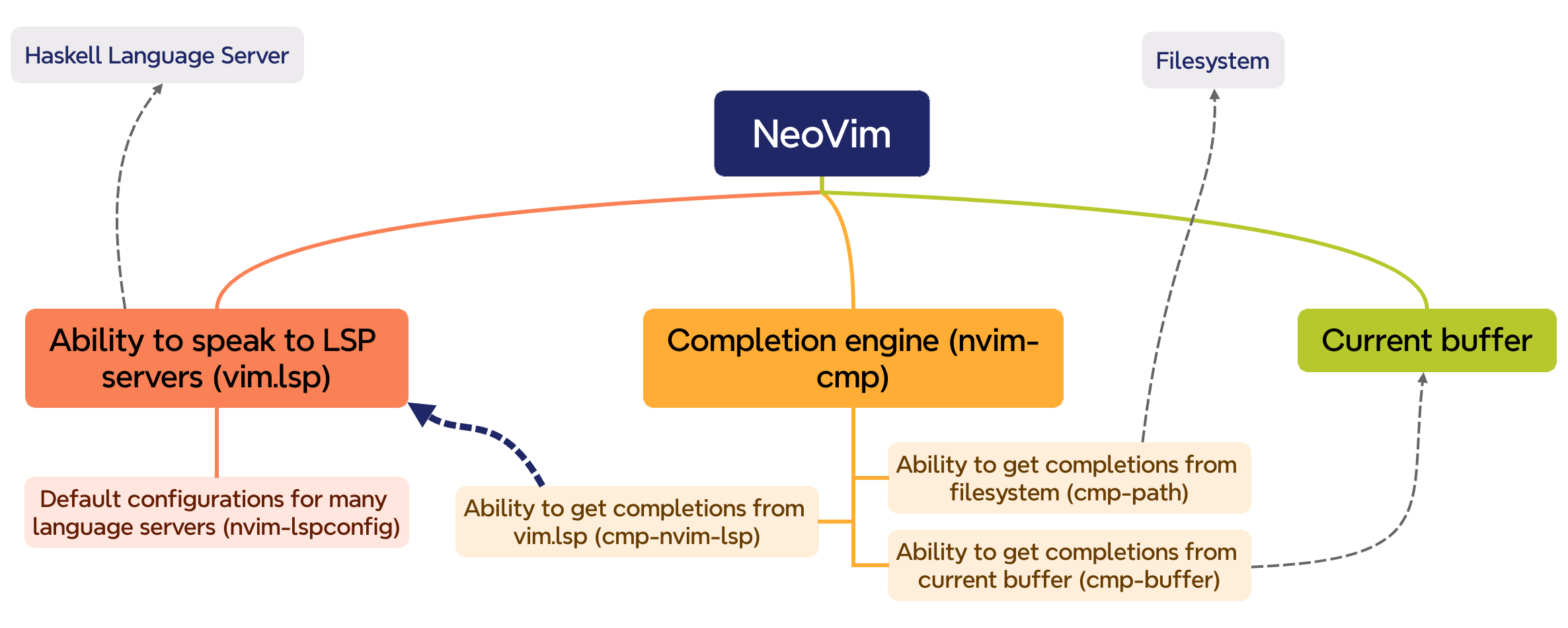
vim.lsp is builtin and provides access to LSP servers,
Lazy Nvim is very easy to setup as a plugin manager, just a few lines, no complex install process, almost as easy as Common Lisp’s Quicklisp.
Then nvim-lspconfig provides configurations for many LSP.
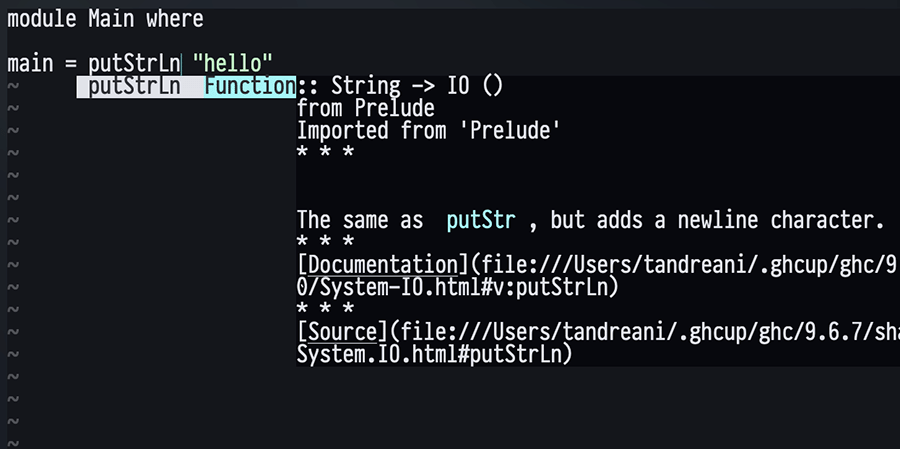
nvim-cmp is a completion engine for Neovim, you can do everything with it as long as source is provided, such as a filesystem for filename completion, or at least some kind of plugin that tells nvim-cmp how to use that source to provide autocompletion. It doesn’t speak to LSP servers, but it can speak to vim.lsp.
cmp-nvim-lsp is just that, a nvim-cmp source that fills the gap between the completion engine and nvim-lsp.